
Online booking software for activity venues.The booking page and the counter sell from the same board.
Venuboost puts your heats, sessions and parties on your own booking page with the times that genuinely have room. A place is held the moment a guest picks it, the price is worked out on the server, and the paid booking lands on the day board the counter is already looking at.
Why it matters on a Saturday
An online booking is only useful if the counter can trust it.
At 9:30am on a Saturday the phone is ringing, a family is at the counter asking for the 11:00am heat, and someone on their phone in the car park is trying to book the same heat. If the booking page and the till keep separate lists, one of those people is going to be told there has been a mistake.
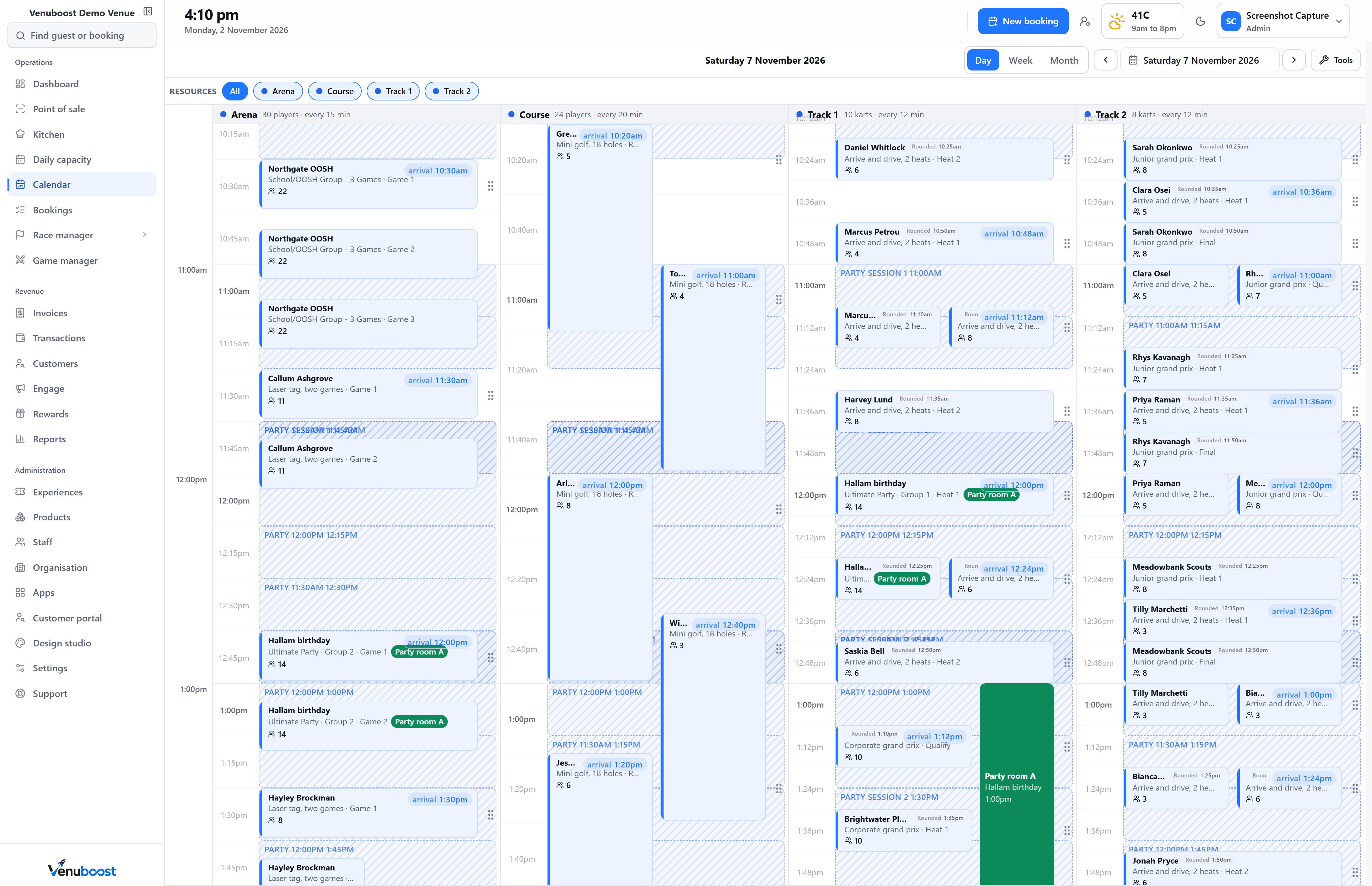
In Venuboost there is one list. The website, the counter and the phone all book through the same engine, so the 11:00am heat has one count of places whoever is selling it. When the guest online picks a time, the places are held for them by the same locked database routine that writes bookings. Two people tapping the last place at the same instant are put in order by the database, and only one of them gets it.
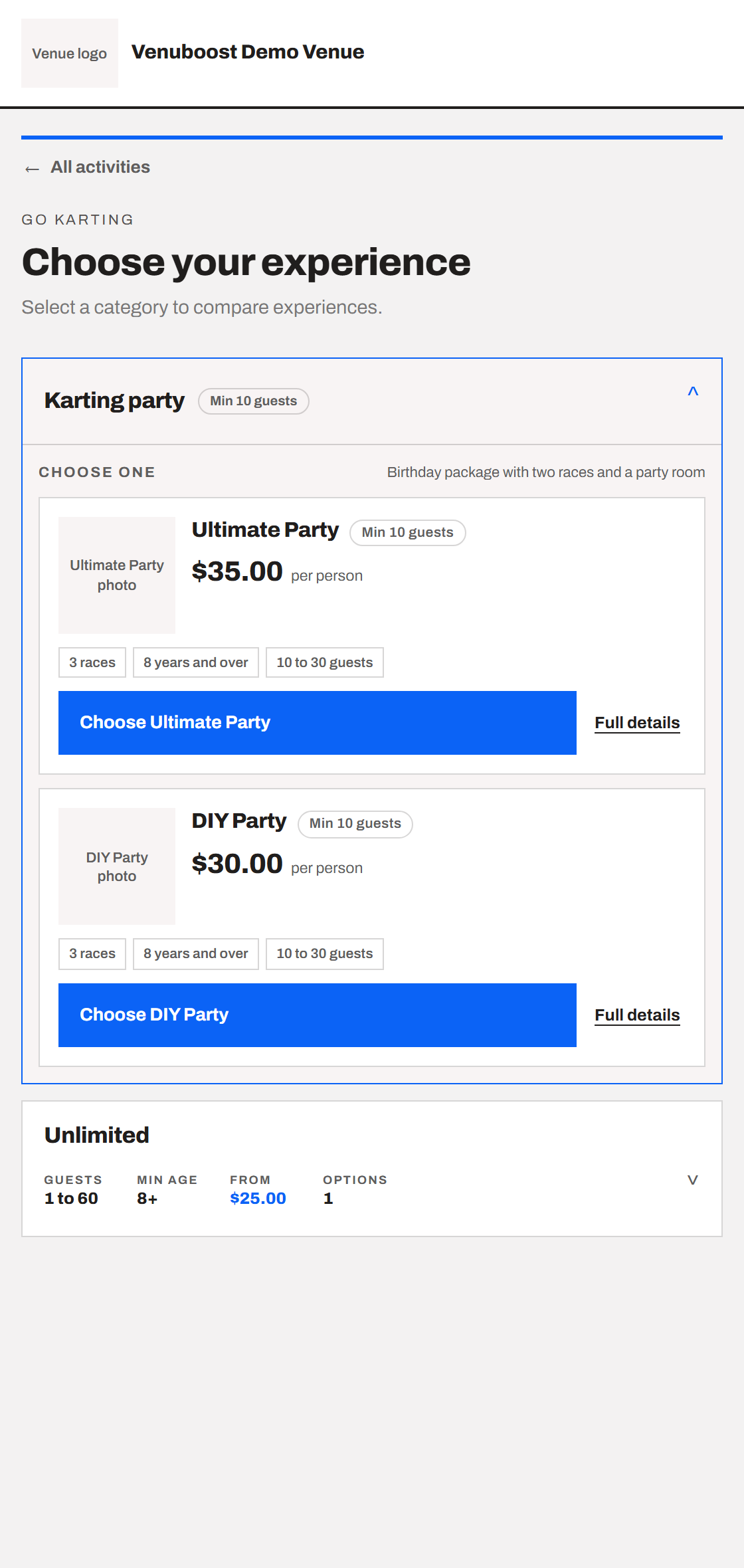
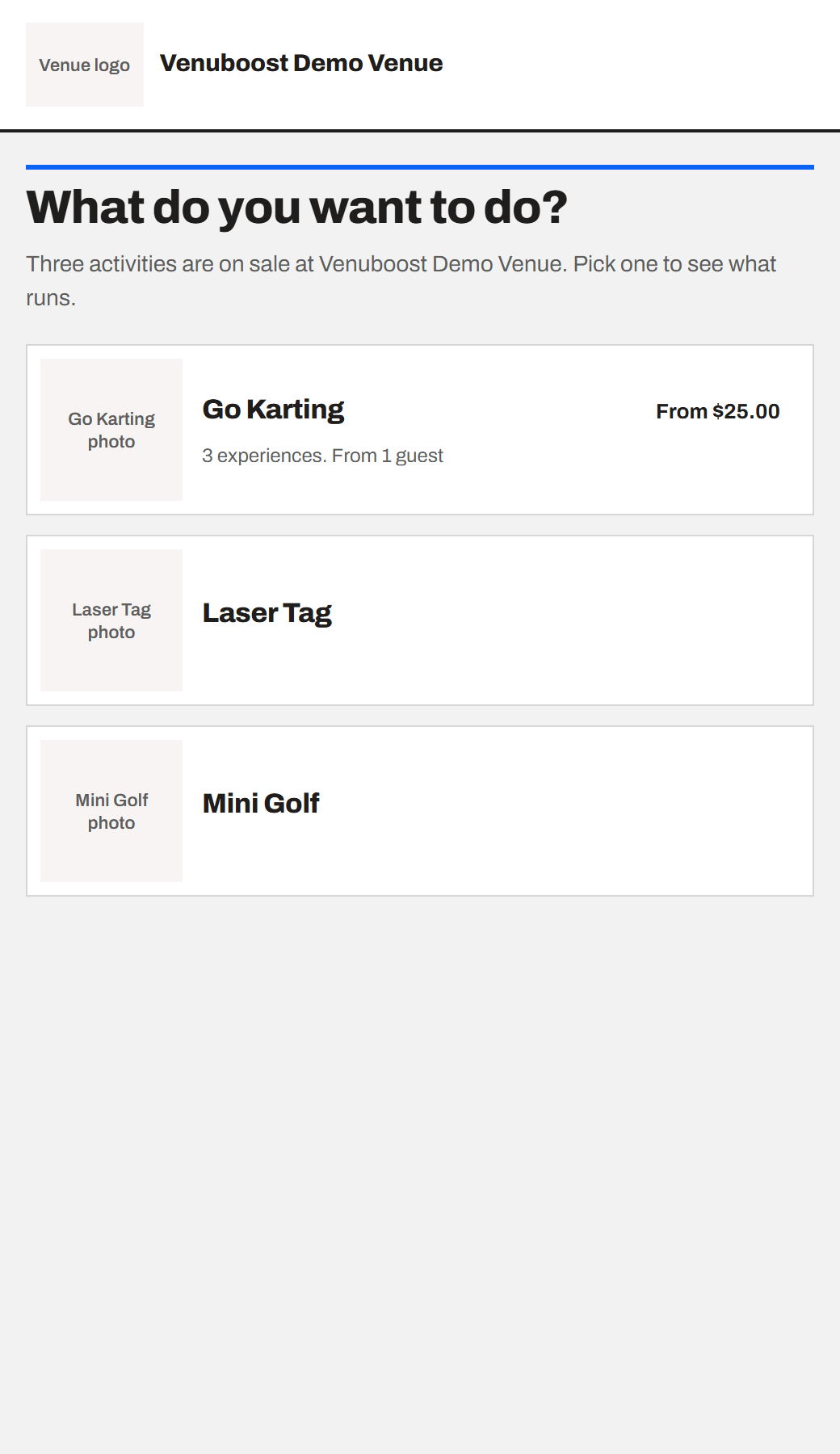
Choose an activity
Every activity on sale, with its photo and its starting price. Pick karting and see the experiences under it.
Choose a day
Days you are closed, public holidays and days a manager shut early are greyed out before anyone taps them.
Choose a time
Only start times with room for the whole party are offered. The places are held the moment one is picked.
Add extras
Party extras, such as a cake or a lolly bag for every child, added to the same booking and priced on the server.
Pay
In full or a deposit, by card, with a gift voucher, or with a wallet where the guest's phone offers one.
What guests can book
One heat, a grand prix or a party of thirty, on one page.
Activities and experiences
Every activity in the building, under its own name.
Go karting, laser tag, mini golf and anything else you run each have their own place on the booking page, with the experiences you sell under them. An experience can be a single session or a format built from stages, such as qualifying, heats and a final, and the booking engine lays out the day for whoever books it. A visit with more than one experience gets an itinerary in time order, so the family knows when to be at the track and when to be in the party room.
- Minimum age and minimum height shown before anyone pays
- Age questions that can change how many places a session runs at
- A warning when another age group is already booked at that time
- Party extras added to the same booking and the same payment
Groups and parties
Fourteen people on a ten kart track race as seven and seven.
A party does not always buy the same thing. Eight want three races, five want two and one wants a single heat, but they arrive together and one person pays. Venuboost takes that as one booking with a line for each package, merges the lines that share a start time into running groups, and splits each round as evenly as the track allows. If no running order fits a start time, that time is not offered.
- One booking, one customer and one payment for a mixed party
- Groups split as near the same size as possible
- A place for everyone coming, with the person who paid not assumed to take part
- A party details form for final numbers and food after booking
Payment
Deposits, gift vouchers and the full amount, into your own account.
You write your deposit rules once: a percentage of the total or a flat amount, each with a floor so a small booking still leaves something worth holding. A birthday party can ask for a deposit while a single heat is paid in full, and an experience can be booked with nothing up front if that is how you sell it. The guest pays the balance later from their own booking page.
Gift vouchers come off at checkout, limited to the experiences you said they cover, and the guest sees what is left on the voucher afterwards. Cards are typed into the payment provider's own secure fields, Stripe, Square, Adyen or Clover, and on Stripe a guest whose phone offers Apple Pay or Google Pay sees it as a button. The money goes into your merchant account, and the total on the screen, tax and fees included, is the total charged.
Held places
A place is held while the guest pays, then let go if they walk away.
An online hold lasts 10 minutes by default, and you can set it anywhere from 1 to 120 minutes. The guest can ask for more time before it runs out. If they close the tab, the places go back on sale. Every price is worked out again on the server, and the booking written at the end has to match the one the card was opened for.
Staff can also hold a booking for a guest who needs to check with the rest of the family, for 2 hours, a day, 2 days or a week. The guest is told how long the time is theirs, warned before the hold runs out, and the time goes back on sale on its own if nobody confirms it. A script that loops taking holds is throttled, so it cannot lock your Saturday out.
After they book
The booking is ready for the counter before the guest has closed the page.
The confirmation goes by email and text message, with a button to add the visit to their calendar and a link to manage the booking. It carries the waiver link, so the group can sign on their own phones before they arrive. More on that in Venuboost digital waivers.
The person who booked becomes a customer record, found or created from their name, email and phone number, and the visit is added to their history. The booking page is painted in your colours and served on your own address, and a kart track's heats go straight onto the race control grid. See how that works in Venuboost karting software.
Questions
What venues ask about online booking.
What is online booking software for activity venues?
It is the booking page guests use to choose an activity, a date and a start time, and pay, without calling the venue. Venuboost shows only the times that genuinely have room, holds the place while the guest pays, and writes the booking onto the same day board and till the counter uses, so an online booking and a walk in can never take the same last place.
Can guests book go karting online?
Yes. A single heat, a multi race experience or a party package sells on the venue's booking page with live availability. A group bigger than the track is split into groups of as near the same size as possible, so fourteen people on a ten kart track race as two groups of seven.
How do you stop two people booking the last place?
The moment a guest picks a start time, the places are held by the same locked database routine that writes bookings, so two guests picking the last place at the same moment are put in order and only one gets it. The hold lasts 10 minutes by default, which the venue can change, and availability is checked again at payment.
Can guests pay a deposit instead of the full amount?
Yes. A venue writes its deposit rules once, as a percentage of the total or a flat amount, either with a minimum. Each experience can follow the default rule, use another one, take a fixed amount, or ask for nothing up front. The guest chooses to pay in full or pay the deposit, and can pay the balance later from their booking.
Can guests use a gift voucher when they book online?
Yes. A guest enters the voucher code at checkout and the value comes off the booking. The checkout respects the voucher's expiry and the experiences the venue said it can be spent on, shows what is left on it, and only takes the balance at the moment the booking is written.
Where does the money from online bookings go?
Straight into the venue's own merchant account. The card form is the payment provider's own secure fields, so the venue never handles a card number, and the amount on the screen, including tax and fees, is the amount charged.
Online booking is part of the Venuboost venue management platform, and monthly plans are on the Venuboost pricing page. To see your own activities on it, ask us for a walkthrough.
Bring us your busiest Saturday and we will put it on a booking page.
Your activities, your start times and your prices, set up in front of you. You will see a guest book the last place before we talk about what it costs.